


Ergonomic Stool or Chair? How to Choose Better Seating for Your Workspace
You most likely spend more time in your work chair than you realise. Day after day, you sit down to answer emails, work through spreadsheets, join meetings and tackle your to-do list. If your seat feels uncomfortable, you notice it. You start shifting around, stretching your shoulders or getting up more often simply because you cannot settle into a comfortable position.
That makes your seating choice worth a little more thought. A traditional office chair can provide plenty of support, but an alternative such as a stool can allow for more freedom and movement. The right option depends on your workspace, your daily tasks and how you naturally like to sit and work.
Contents
What Makes Seating Ergonomic?
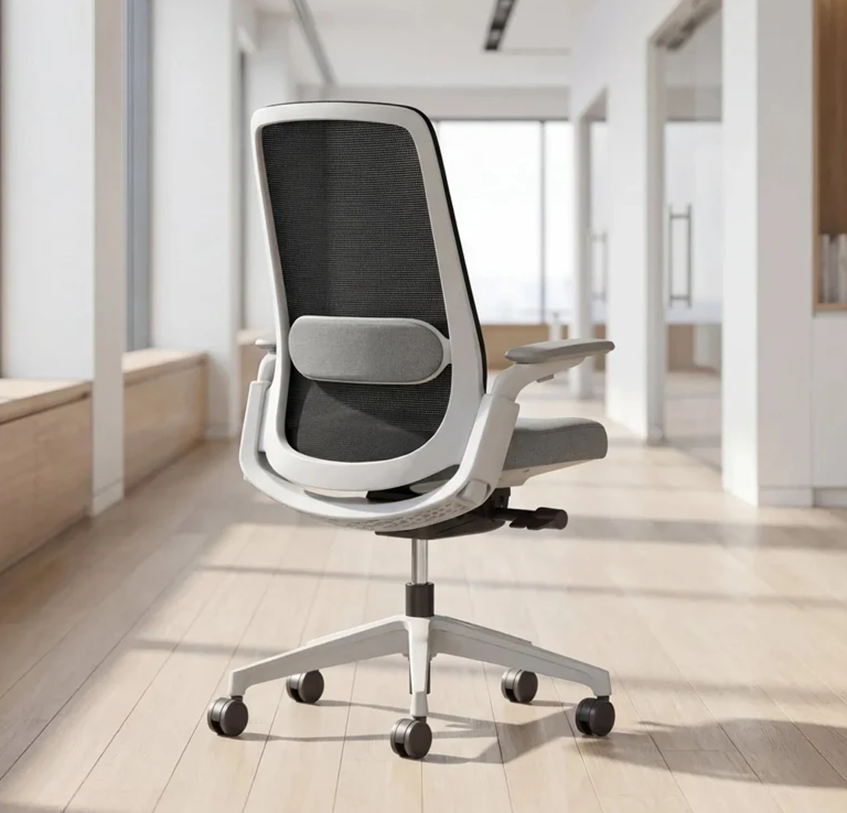
Ergonomic seating should make it easier for you to work comfortably while keeping your body in a sensible position. Instead of asking you to adapt to a fixed design, it gives you enough support and adjustability to create a setup that suits you.
Adjustability also gives you more control. Seat height, seat depth, back support and armrests can all affect how comfortably you work. When you can fine-tune those elements, you can build a setup around your body instead of trying to squeeze yourself into someone else’s idea of the perfect sitting position. It’s always worth it to look into ergonomic stool options or other seating that will work for your needs and working space.
Start with your desk. Your seat needs to be at a useful height so you can work without lifting your shoulders, bending your wrists awkwardly or leaning forward towards your screen. Your feet should also have somewhere comfortable to rest, either on the floor or an appropriate footrest.
Movement matters as much. You rarely stay perfectly still while working, so your seating should allow you to shift position if needed. A little movement throughout the day can make your workstation feel much less restrictive.
What Are Ergonomic Stools, and How Do They Work?
An ergonomic stool offers a more active sitting position. Instead of surrounding you with a large backrest and multiple support points, it typically uses a shaped seat that lets you move and change position more freely.
That design can work particularly well with a height-adjustable desk. You can raise the workstation when you want to stand, lower it when you want to sit and use the stool as another comfortable position between the two.
Some stools allow you to tilt, swivel or move your hips naturally as you work. That can be useful if you dislike feeling locked into one position. A stool can also make sense in work areas where you regularly turn, reach or get up to handle different tasks.
The height remains important. Your stool should work with your desk so you can sit comfortably without reaching too high or hunching down. A foot ring or footrest can also give your legs a rest, particularly when you use a taller stool.
You might also appreciate the smaller footprint. If your workspace feels cramped, a stool can take up less visual and physical space than a larger office chair. You can move it out of the way quickly when you need more room.
When an Ergonomic Chair May Be the Better Choice
An office chair can be the more practical choice when you spend several uninterrupted hours at your desk. If your work involves long periods of typing, reading or video calls, you may want the additional support that a chair provides.
Ergonomic chairs typically offer more ways to adjust your position. You might change the seat height, adjust the armrests, fine-tune the lumbar support or recline the backrest when you want to change position.
That extra support can make a noticeable difference when your workday keeps you at your desk for hours. A good chair also gives you a stable base while you concentrate on detailed tasks.
Think about your routine before you decide. If you rarely leave your workstation and prefer your back, arms and legs well supported, a chair could suit you better. You can still move and change position without giving up that extra support.
Match Your Seating to the Way You Work
Your daily routine gives you some of the best clues about the seating you need. Take a moment to consider what actually happens at your desk rather than choosing based purely on appearance.
Consider:
- How many hours do you spend sitting each day?
- Do you regularly switch between sitting and standing?
- Do you use a height-adjustable desk?
- Do you move around frequently while working?
- Do you need strong back and arm support?
- How much space do you have around your workstation?
If you spend most of your day at a computer, ergonomic chairs give you the adjustability and support that can make long working sessions more comfortable. If you move between tasks, change positions frequently or use a sit-stand desk, a stool may give you the flexibility you want.
Your desk height also matters. Measure it before choosing your seat, particularly if you are considering a taller stool. You want your elbows to sit comfortably when you work, without forcing your shoulders upwards or making you lean forward.
Features to Consider Before Choosing Your Ergonomic Seating
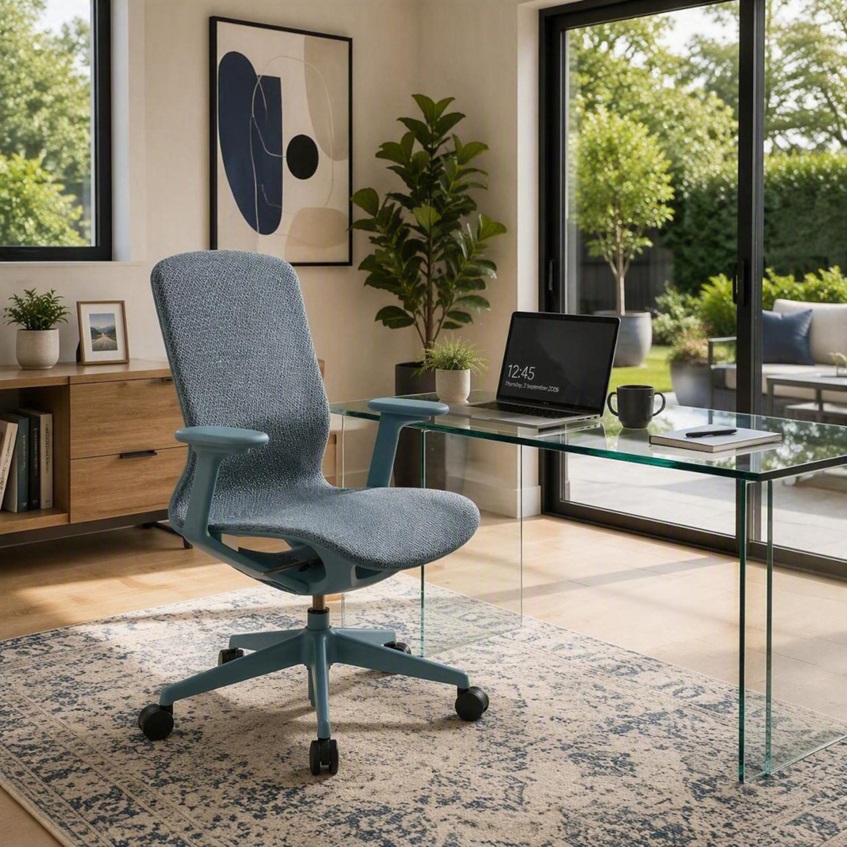
Once you know which style suits your routine, look at the features that will affect everyday use.
Adjustability should sit near the top of your list. Check how much you can change the seat height and, with a chair, whether you can adjust the seat depth, armrests, backrest or lumbar support.
Movement is another useful consideration. A swivel base or tilt mechanism can make it easier to shift position without completely leaving your workstation. With a stool, the seat allows you to move more freely while still feeling stable.
Support should match the way you work. A chair can provide more structured support across your back and arms, while a stool can encourage a more open sitting position. Consider which feels more natural for your routine.
Then look at materials and construction. Breathable materials can feel pleasant in a warm office, while a well-padded seat may appeal if you prefer a softer feel. Pay attention to the base and overall build, too, especially if you plan to use your seating every day.
Finally, consider the rest of your workstation. Your monitor position, keyboard, mouse and desk height all contribute to how comfortable you feel. Even the best seat cannot compensate for a poorly arranged desk.
Choose Seating That Works With You
Choosing between a stool and a chair comes down to how you use your workspace. A stool can give you freedom to move and works particularly well alongside a height-adjustable desk. A chair can provide more structured support and plenty of adjustability for long periods at your workstation.
Start with your routine, measure your desk and think about the positions you naturally use throughout the day. Then choose the seating that makes those movements easier.
The goal is simple: you should be able to sit down, get comfortable and focus on your work without constantly thinking about your seat. When your seating works with your workspace, the whole setup feels easier to use.
Sorry, the comment form is closed at this time.